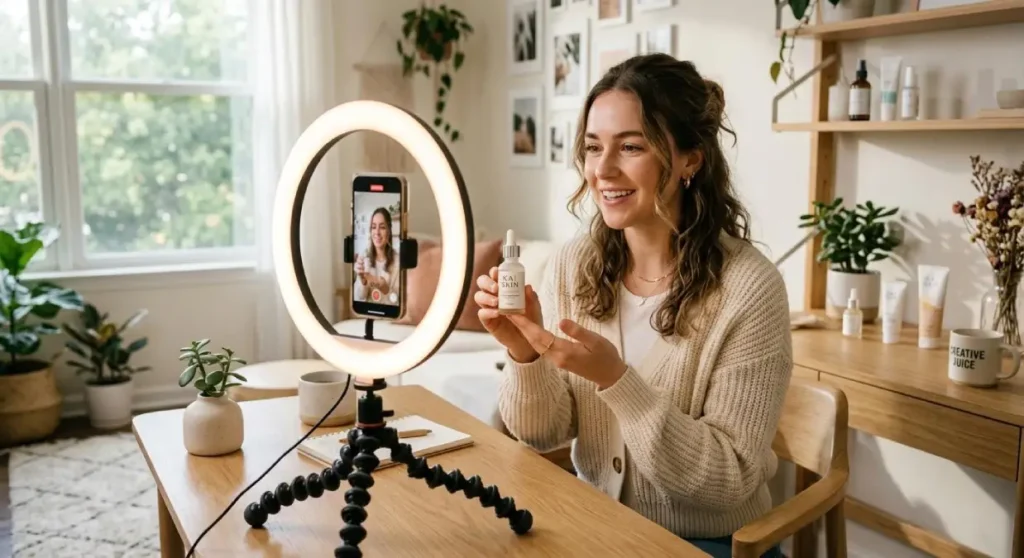
UGC B-roll is the supporting footage a creator films around the main on-camera part of a video: the product up close, hands using it, the place it’s used. Editors cut this footage over the creator’s voice, or between talking segments, to show what is being described. This guide covers B-roll for UGC videos in practical terms: examples by product type, filming tips, a shot list, and how editing teams use the footage.
What Is UGC B-Roll?
In most video production, A-roll is the main footage that carries the message. In UGC, that is usually the creator talking to the camera. B-roll is the supporting footage that shows what they’re talking about.
Take a skincare video. The A-roll is the creator facing the camera and explaining why they picked the product. The B-roll is the cap twisting off, the texture on a fingertip, the product being applied, and the bottle sitting on a bathroom shelf.
Not every UGC video has a creator speaking to the camera. Some use a voiceover, a product demonstration or on-screen text to carry the message instead. In those videos, the main footage and the supporting footage may be less clearly separated, but the idea is the same: B-roll is the visual material that shows the product and how it’s used.
These terms come from traditional video production, and teams use them slightly differently, so there is no single UGC standard. The useful distinction is simple: A-roll carries the main message, and B-roll shows what is being discussed.
B-roll doesn’t require expensive equipment. A recent smartphone, decent light and a clear idea of what to film are enough for many projects. Real, clear footage that matches the brief is worth more than polished footage that doesn’t.
Why B-Roll Matters in UGC Videos
A person talking to a camera can only show so much. B-roll gives viewers something to look at while they listen.
- It shows the product. Features, size, texture, packaging and how something opens, fits or works are all easier to see than to explain.
- It keeps the frame changing. Cutting between visuals stops a single talking shot from carrying the whole video.
- It backs up what’s said. If a creator mentions soft fabric or a secure lid, the footage can show it. Only approved claims should be illustrated.
- It gives context. Viewers see where and how the product fits into an ordinary routine.
B-roll helps a video communicate. This article doesn’t claim it raises conversions or ad returns, since results depend on the product, offer, audience and many other factors.
UGC B-Roll Examples by Content Type
Product B-roll varies by category. These examples are starting points to adapt to the product and brief.
| Product Category | B-Roll Shot Example | Creative Purpose |
|---|---|---|
| Skincare and Beauty | Opening the jar or pump, product texture on a fingertip, applying it to the back of the hand or face, the product on a bathroom shelf | Shows how the product looks, feels and is applied, without implying results |
| Fashion and Apparel | Taking the item out of its packaging, close-up of fabric and stitching, a zipper or button detail, walking or moving in the item, front and back views | Shows fit, material and construction details |
| Home and Lifestyle | Setting the product up in a room, using it during a normal routine, close-up of a control or feature, the product in the space | Shows size, setup and use in a real setting |
| Food and Beverage | Opening the package, pouring or preparing, plating, a first bite or sip, close-up of the ingredient label | Shows what it looks like and how it’s prepared or served |
| Pet Products | A pet using a toy, bowl or bed naturally, close-up of the material, the owner’s hands filling or setting it up | Shows real use and durability details without forcing the animal |
| Apps and Digital Products | A screen recording of a real task, a phone held while scrolling the app, a close-up of one key screen | Shows the actual interface and workflow as it currently works |
Every shot should reflect the product as it really is. Avoid staged or misleading before-and-after footage, and make sure app screens match the current version.
How to Film Better UGC B-Roll
The tips below are common practice, not platform requirements. Follow the brief and check the current specs for wherever the video will run.
Light, Framing and Angles
- Use clean, natural light. Film near a window and avoid mixed lighting or harsh shadows across the product.
- Keep the frame stable. Use a stand, or rest the phone against something solid.
- Mix close-ups and medium shots. Close-ups show detail, while medium shots show how the product is used.
- Capture more than one angle. Front, side and over-the-shoulder views give editors options.
Product and Action
- Keep the product clearly visible. Face the label toward the camera when it matters, and don’t cover key features with fingers.
- Use the product naturally. Act as you normally would, without exaggerated movements.
- Leave room around each action. Start recording before the action begins and keep going for a moment after it ends.
Format and Finish
- Film vertical when the brief asks for it. Keep the main action near the center so it survives cropping.
- Skip heavy filters and busy backgrounds. A tidy, simple setting keeps attention on the product.
Raw footage should leave editing room because editors need to trim clips, match their pace to a voiceover and choose clean start and end points. A clip cut tight at the source can’t be extended later.
What Brands Should Include in a B-Roll Brief
A short, specific B-roll section saves the creator guesswork. Brands should spell out:
- Product focus: the features or details that must be visible.
- Required actions: such as opening the lid, pouring, applying or assembling.
- Usage settings: where the product is naturally used.
- Visuals to avoid: competitor products, other brands’ logos, unapproved claims and cluttered backgrounds.
- Filming requirements: orientation, lighting and how to submit files.
Mark anything undecided as “to confirm” rather than leaving it open.
A Practical UGC B-Roll Shot List
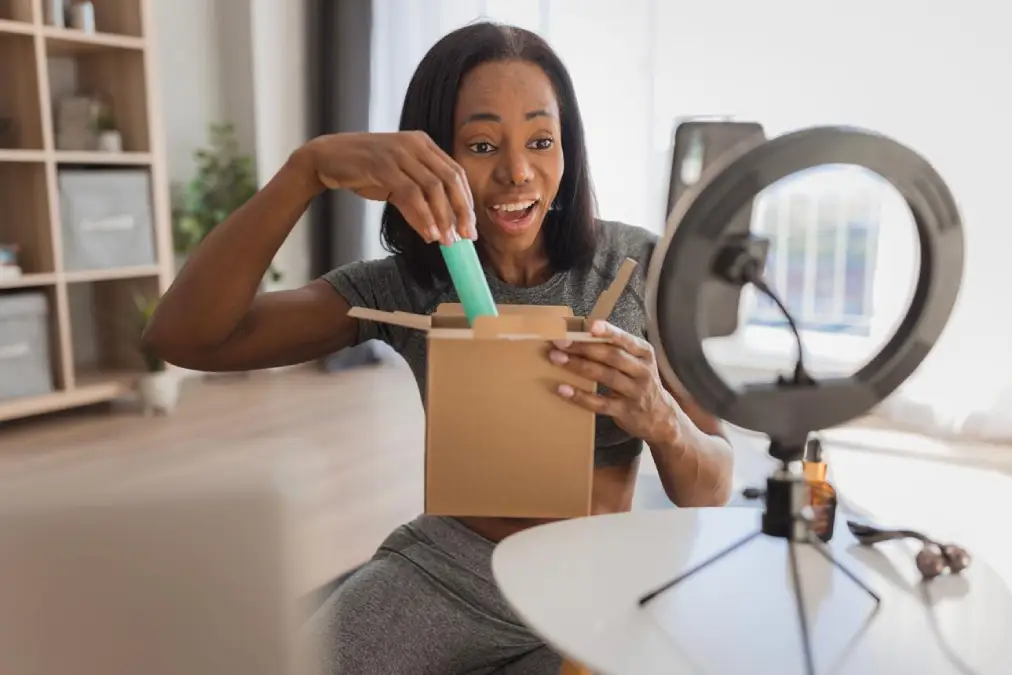
Use this list as a starting point for UGC video production.
- Product close-up: Shows the product clearly on its own, and is often the most reusable shot.
- Packaging shot: Establishes the brand and what the customer receives.
- Unboxing: Shows first contact with the product and what’s included.
- Product in hand: Gives a sense of scale and how it feels to hold.
- Product in use: Shows the main action the product is made for.
- Detail shot: Highlights a feature viewers might otherwise miss, such as texture, stitching or a button.
- Lifestyle shot: Places the product in a real setting.
- Over-the-shoulder shot: Shows the action from the user’s point of view, which helps for apps and tools.
- Reaction shot: Captures a genuine expression while using the product. Skip it if it would feel forced.
- Closing product shot: A clean final view of the product, useful for an end frame or call to action.
Not every project needs every shot. A serum may only need shots 1, 2, 4, 5 and 6, while an app may rely mostly on 5 and 8. Adjust the list to the product, the creative brief and the content goal.
Common UGC B-Roll Mistakes
| Mistake | How to Fix It |
|---|---|
| Too few usable shots | Film each key action more than once and from different distances |
| Poor lighting | Face a window and avoid backlighting the product |
| Shaky footage | Use a stand or brace the phone against a surface |
| Distracting backgrounds | Clear the frame of clutter and other brands’ products |
| Missing important product details | Check the brief for features, labels or size references that must appear |
| Excessively short or incomplete actions | Start recording early and stop late so the whole action is captured |
| Footage that doesn’t match the approved brief | Reread the brief before filming and ask when something is unclear |
| Recording only one angle | Capture additional angles when they would provide useful editing options |
How B-Roll Supports UGC Ad Editing
Editors treat B-roll as a library of material they can arrange in different ways. With enough usable footage, an editing team can:
- Test different hooks by opening the same message with different visuals.
- Build creative variations by swapping shots while the core script stays the same.
- Support voiceovers by covering each line with a matching visual.
- Add context where the script mentions something the main footage doesn’t show.
- Adapt edits for different placements by re-cutting and reframing from the same source clips.
- Reduce unnecessary reshoots when suitable footage already exists. This won’t always be possible, but good coverage makes it more likely.
This is where UGC ad creatives get built. The raw footage for UGC ads is only as flexible as the coverage the creator captured.
KiwiUGC works as a managed production service rather than a creator marketplace. The brand submits a brief, and KiwiUGC matches a creator. The creator films raw footage according to the confirmed brief and submits it to KiwiUGC. KiwiUGC then handles editing, hooks, calls to action, creative variations, quality control and final delivery. Brands don’t manage creators directly, and creators aren’t expected to post the videos on their own accounts. This is the model behind KiwiUGC’s UGC content creation and UGC ad editing work.
What a brand receives is set by the project agreement. Raw footage isn’t included in the final delivery by default. Making several versions from one set of footage also has to fit the agreed content usage rights and project scope, so the number of versions, channels and any paid use should be confirmed up front.
Frequently Asked Questions
What is the difference between A-roll and B-roll in UGC?
A-roll carries the message, usually the creator speaking to the camera. B-roll supplies the visuals around it, such as the product, the action and the setting. Most UGC videos use both.
How much B-roll do you need for a UGC video?
There is no fixed amount. It depends on the video’s length, how complex the product is and how many versions the editor will build. A practical approach is to list the key actions in the brief and ask for each to be filmed more than once, from more than one angle.
Can UGC B-roll be filmed with a smartphone?
Yes. Light, stability and clarity matter more than the camera. Wipe the lens, keep the phone steady, and follow the brief on orientation and file requirements.
Can the same B-roll be used in multiple UGC ads?
Technically, editors can cut the same footage into several ads. Whether you’re allowed to depends on your project agreement, including the channels, duration, territory, paid advertising usage and editing rights it covers. Buying one video doesn’t automatically give unlimited use, so confirm these terms before you plan multiple ads.
Conclusion
Well-planned UGC B-roll gives editing teams more usable creative material, which means smoother edits and more flexibility when building versions. A clear brief and a flexible shot list make that footage far easier to work with.
Need ready-to-use UGC content without managing creators and editing yourself? Start a UGC project with KiwiUGC.