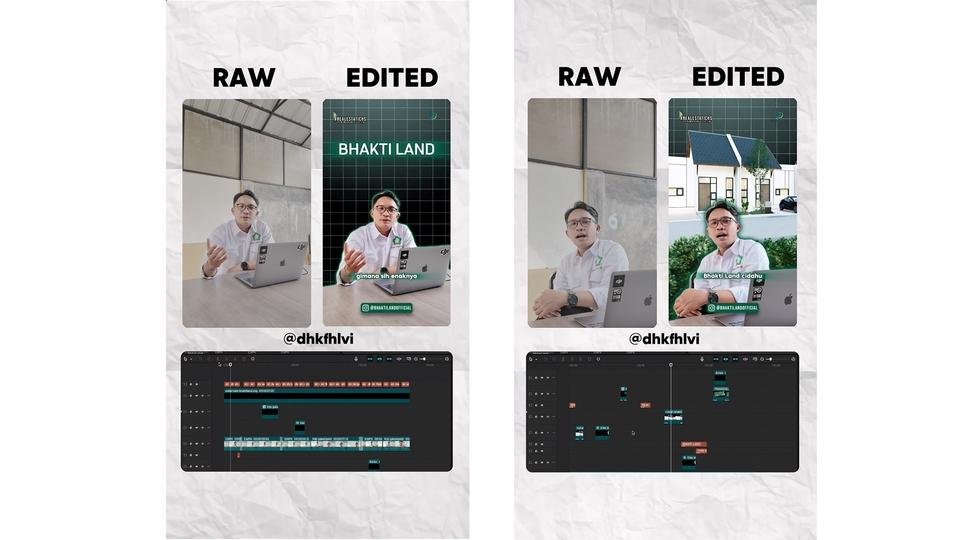
UGC raw footage is the source material a creator films for a UGC video before it is edited. It can include talking-to-camera clips, product demonstrations, B-roll, alternate hooks and call-to-action (CTA) recordings, often with several takes of each.
“Raw” here means unedited, not raw camera sensor data. Depending on the agreement, raw footage delivery may include all recorded project clips or only selected usable takes. The exact scope should be confirmed before filming begins. Raw footage isn’t included in a brand’s final delivery by default.
This guide covers what raw footage includes, when a brand needs it, a delivery checklist, and how usage rights work.
What Is UGC Raw Footage?
Unedited UGC footage usually keeps its original sound and often holds several takes of the same line or action, plus restarts and clips an editor will never use. A finished video is what an editor builds from that material.
| Raw Footage | Edited UGC Video | |
|---|---|---|
| Production stage | Filming | Post-production |
| Editing | None or minimal | Selected, trimmed and sequenced |
| Captions and graphics | None | Captions, on-screen text and end card, as briefed |
| File format / delivery | Source clips in the format the project specifies | Exported files for the agreed placements |
| Primary purpose | Material for editing | Ready-to-use content |
| Typical recipient | The editing team | The brand’s marketing team |
Not every brand needs to buy raw footage. Many only need the finished videos.
What Does UGC Raw Footage Typically Include?
The contents depend on the creative brief and project agreement. Common elements are:
- Talking-to-camera clips: the creator covering the agreed points, often in more than one take.
- Product demonstrations: the product being opened, used or set up.
- Product B-roll: supporting close-ups and detail shots. For shot ideas and filming tips, see our guide to UGC B-roll.
- Alternate hooks: different openings for creative variations.
- CTA recordings: alternative closing lines.
- Lifestyle footage: the product in a real setting.
- Alternate takes and angles: extra options for the editor.
- Original audio: clean speech or natural sound, where the brief requires it.
Which of these a brand receives, and in what form, is set by the brief and agreement. Mistakes, unused clips and any private moments recorded around filming don’t automatically become part of the deliverable.
Why Do Brands Need UGC Raw Footage?
Raw footage for UGC ads gives editors more to work with. Where a brand receives it under the agreement, it can support:
- More editing flexibility
- Different hooks and creative variations
- Alternative video lengths
- Reframing for different placements
- Faster adjustments when suitable clips exist
- A reusable asset library, within agreed usage rights
- Fewer avoidable reshoots
This doesn’t mean raw footage improves click-through rate, ad returns or sales, since results depend on many factors. Access to files also doesn’t carry unlimited editing rights or permanent ad usage.
Raw Footage vs Finished Videos: Which Does a Brand Need?
| Brand Situation | Best-Fit Production Approach | Main Consideration |
|---|---|---|
| In-house editing team that wants source clips | Raw footage delivery | Agree scope, file requirements and editing permissions upfront |
| Wants ready-to-use video ads without handling production | Managed UGC production | Confirm number of videos, versions, revisions and usage |
| Already has footage and needs it edited | UGC ad editing | Confirm where the footage came from and that its usage rights cover the edits |
A brand that buys raw footage still needs an editor, a way to organize files and someone to follow up with the creator on missing shots. Brands that would rather outsource the whole process may find managed UGC production a better fit. KiwiUGC coordinates production from footage collection to final delivery, so the brand doesn’t have to run those steps itself.
A Practical UGC Raw Footage Delivery Checklist
Use this UGC raw footage checklist as a starting point and adapt it to the project. Any examples are common practice, not requirements for every platform. The brief and the actual placement decide.
Technical Requirements
- Orientation and aspect ratio: as the brief specifies. Vertical is a common choice for social placements.
- Video quality: the level stated in the brief, with files not overly compressed.
- Original audio: clear speech, recorded where the brief requires it.
- Lighting and background: consistent and uncluttered.
Creative Requirements
- Agreed shot list: every key action covered.
- Required hooks and CTA lines: filmed as briefed.
- Product visibility: the product clear in each demonstration.
- Multiple takes: where the brief calls for them.
Delivery Requirements
- File naming and organization: a clear convention, such as grouping clips by shot or script section.
- Upload method: the secure channel the project specifies.
- Access: limit who can view or download the footage to the people who need it.
- Privacy check: review clips for private information caught by accident, such as addresses, documents, open screens or bystanders.
- Storage and deletion: follow the project agreement on how long files are kept and when they are removed.
- Deadline: the delivery date and who confirms receipt.
Rights and Approval Requirements
- Review and approval: who reviews the footage, and against what.
- Reshoot expectations: when a reshoot is reasonable under the confirmed brief, and when a new request counts as extra.
- Usage rights and editing permissions: channels, duration, territory, paid use and what edits are allowed.
Common UGC Raw Footage Problems and How to Avoid Them
| Problem | Why It Matters | Practical Solution |
|---|---|---|
| Missing required shots | The editor can’t build the planned script | Check the shot list against the brief before submitting |
| Unclear or incomplete audio | Speech can’t be used or captioned accurately | Film in a quiet room and test a short clip first |
| Footage starts or stops too early | No room to trim or transition | Roll before and after each action |
| Inconsistent lighting | Clips look mismatched when cut together | Film each setup under the same light |
| Incorrect framing | Reframing may cut off the product | Keep the subject centered and follow the brief’s orientation |
| Overly compressed files | Detail and sound quality drop | Submit original files through the project’s upload channel |
| Missing product demonstrations | Key features go unshown | Mark demonstrations as required in the brief |
| Disorganized file delivery | Time is lost finding clips | Use the agreed naming convention and folders |
| Footage not matching the approved brief | May cause delays or a reshoot | Reread the brief and ask before filming |
How KiwiUGC Manages Raw Footage Production
KiwiUGC is a managed UGC content production platform, not a creator marketplace. Brands don’t browse or hire creators directly. The process works like this:
- The brand submits a creative brief.
- KiwiUGC reviews the requirements and matches a suitable creator.
- The creator films raw footage according to the confirmed brief.
- The creator submits the footage to KiwiUGC, not directly to the brand.
- Before editing, KiwiUGC checks the submitted footage against the confirmed brief. If anything doesn’t meet the agreed requirements, KiwiUGC coordinates a reasonable reshoot with the creator.
- KiwiUGC handles editing, hooks, captions, CTAs and creative variations, with quality control.
- The brand reviews the edited content.
- KiwiUGC manages agreed revisions and delivers the final content.
A few points are worth noting:
- Brands don’t manage creators, and creators are not normally required to post on their personal social accounts.
- If footage needs to be refilmed, KiwiUGC coordinates it with the creator. The brand doesn’t contact the creator directly.
- Whether a reshoot is reasonable depends on whether the footage meets the confirmed brief. Reshoots aren’t unlimited, and new filming requests added later may cost extra. Any limits and costs follow the project agreement.
- Final deliverables and raw footage delivery are separate. What the brand receives is set by the project agreement.
- Revisions and versions follow the agreed project scope, not an unlimited allowance.
This is the UGC video production model behind KiwiUGC’s UGC content creation service.
UGC Raw Footage Pricing and Usage Rights
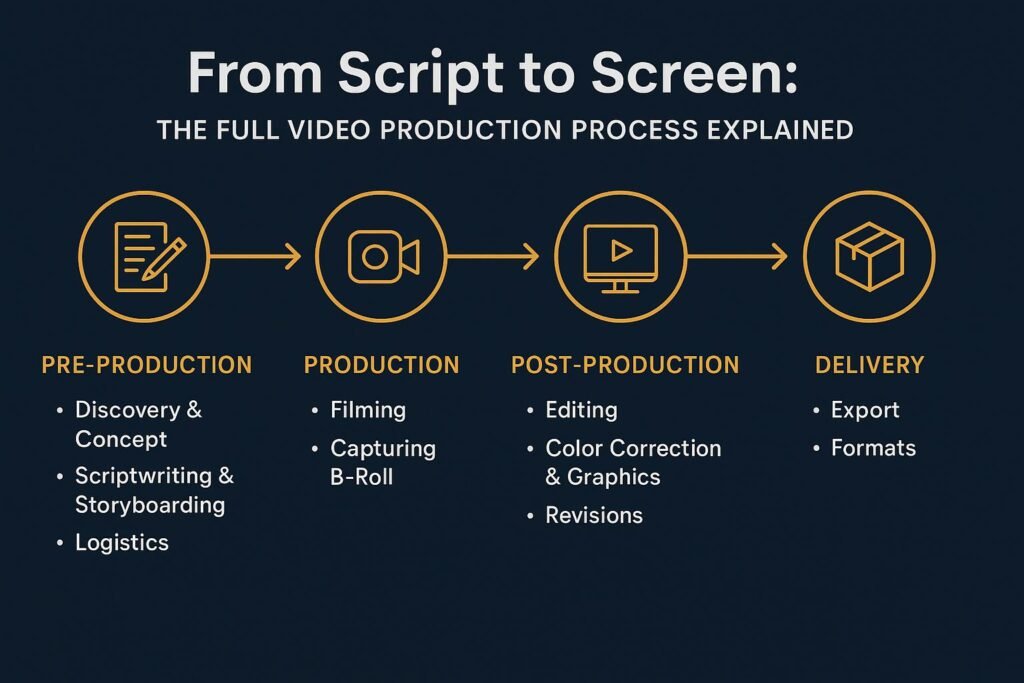
UGC raw footage pricing varies by project scope, filming requirements, deliverables and usage permissions. Specific factors that can affect a quote include shot list complexity, filming time, creator experience, product demonstrations, additional takes, usage rights, paid advertising permissions, delivery requirements and reshoots outside the confirmed scope.
When comparing quotes, check that these items are treated separately:
- Creator filming fee
- Editing and production management
- Raw footage delivery
- Organic content usage
- Paid advertising usage
- Editing and derivative work permissions
Two Layers of Permission
In a managed project, permission passes through two steps.
Creator → KiwiUGC. The creator authorizes KiwiUGC, within an agreed scope, to edit and process the footage, create versions and deliver content.
KiwiUGC → Brand. The brand receives the agreed finished videos, raw footage if it is included, and clearly defined usage permissions.
The two layers need to be compatible, with the brand’s permissions sitting within what the creator has authorized. Two consequences follow. KiwiUGC receiving raw footage doesn’t mean the brand automatically gets every original file. And buying finished videos doesn’t automatically give the brand permanent, worldwide, unrestricted ad use. Channels, duration, territory, paid advertising and editing permissions should be confirmed in the project agreement.
Frequently Asked Questions About UGC Raw Footage
What counts as raw footage in UGC?
Unedited clips a creator films for a project, such as talking-to-camera takes, demonstrations, B-roll and alternate hooks or CTAs. It doesn’t mean camera sensor data.
Is raw footage included in every UGC package?
No. Raw footage isn’t included in the final delivery by default. Whether it is delivered, and how much of it, is set by the project agreement.
Can raw UGC footage be used to create multiple ads?
Editors can technically cut the same footage into several ads. Whether you may depends on the agreed channels, duration, territory, paid use and editing permissions.
What file format should creators use for UGC raw footage?
There is no single required format. State it in the brief and confirm it with the editing team in advance. Avoid overly compressed files.
What happens if the raw footage does not match the approved brief?
The footage is checked against the confirmed brief. If it misses agreed requirements, a reshoot may be reasonable. New requirements added after confirmation may cost extra.
Conclusion
Good UGC raw footage starts with a clear brief, appropriate filming requirements, organized delivery and a reliable production process.
Need ready-to-use UGC videos without coordinating creators, footage collection and editing yourself? Start a UGC project with KiwiUGC. You brief us. We create it.